Valorant Scoreboard Overlay For Streamers
Professional Valorant scoreboard overlays for streamers. Simple setup, real-time updates, and clean designs for your stream.
Article Contents
Streaming Valorant without a scoreboard overlay means your viewers are constantly typing "What's the score?" in chat. A clean overlay showing round scores, team names, and match context keeps people watching instead of asking.
Here's how to set one up.
What You Actually Need in a Valorant Overlay
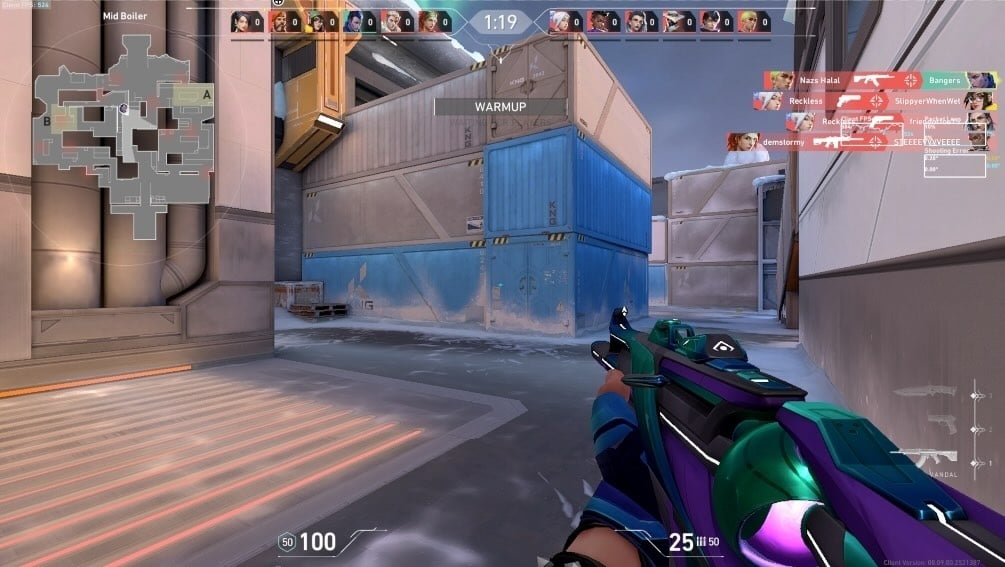
Valorant is round-based and team-based, so your overlay needs to show two things clearly: which team is which, and the round count. Everything beyond that is optional.
The non-negotiables:
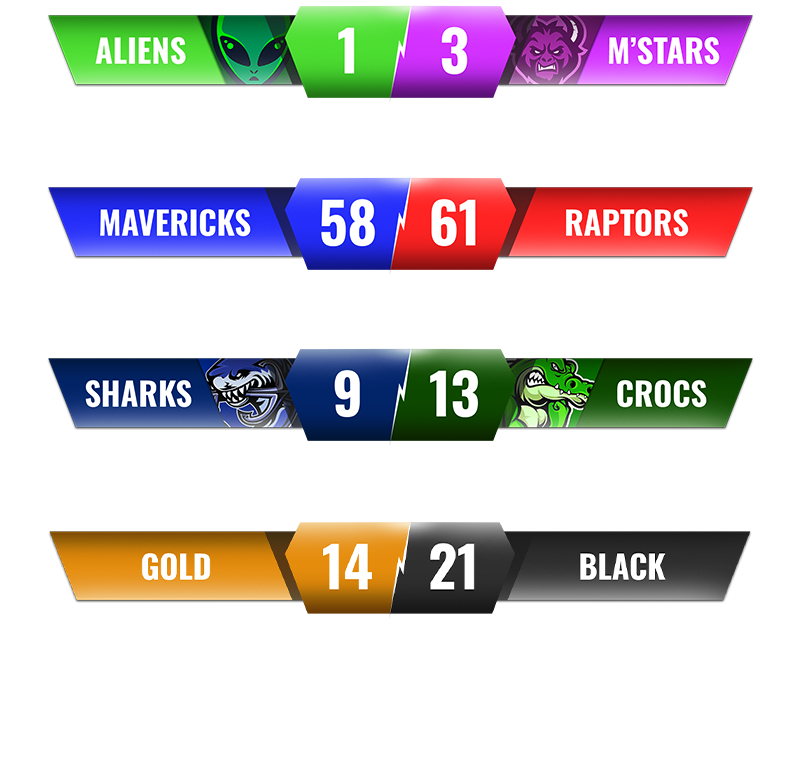
- Team names and colors — viewers need to tell the teams apart at a glance
- Round score — the most-asked question in any competitive stream chat
- Map name — context for viewers who tune in mid-match
KDA stats and economy info are useful if you're covering competitive play. Agent icons help viewers who know team compositions. MVP tracking using Valorant's ACS (Average Combat Score) is a nice touch for highlight-heavy streams.
But keep it minimal. A cluttered overlay during a clutch round is worse than no overlay at all.
Types of Overlays
Static image overlays
Pre-designed templates you drop into OBS as an image source. They look good and take seconds to set up, but you'll need to manually update scores by alt-tabbing or handing it off to someone else.
Fine for casual streams or one-off matches where the aesthetic matters more than real-time accuracy.
Live-updating scoreboards

Software-based overlays that update in real time via a browser source. You change the score on your phone or a second laptop, and it appears on stream within a second or two. No alt-tabbing mid-round.
This is what most streamers actually use once they've done it a few times. The setup takes about five minutes.
Full production suites
Dedicated broadcast software with scene switching, replay tools, and integrated scoring. This is what organized esports tournaments use. Powerful, but you're looking at a real learning curve and often a real cost.
If you're running a tournament with a dedicated production crew, that's the route. For everything else, a browser-source scoreboard gets the job done.
Setting Up a Valorant Overlay with KeepTheScore
KeepTheScore gives you a live scoreboard overlay you can control from your phone while playing or casting.
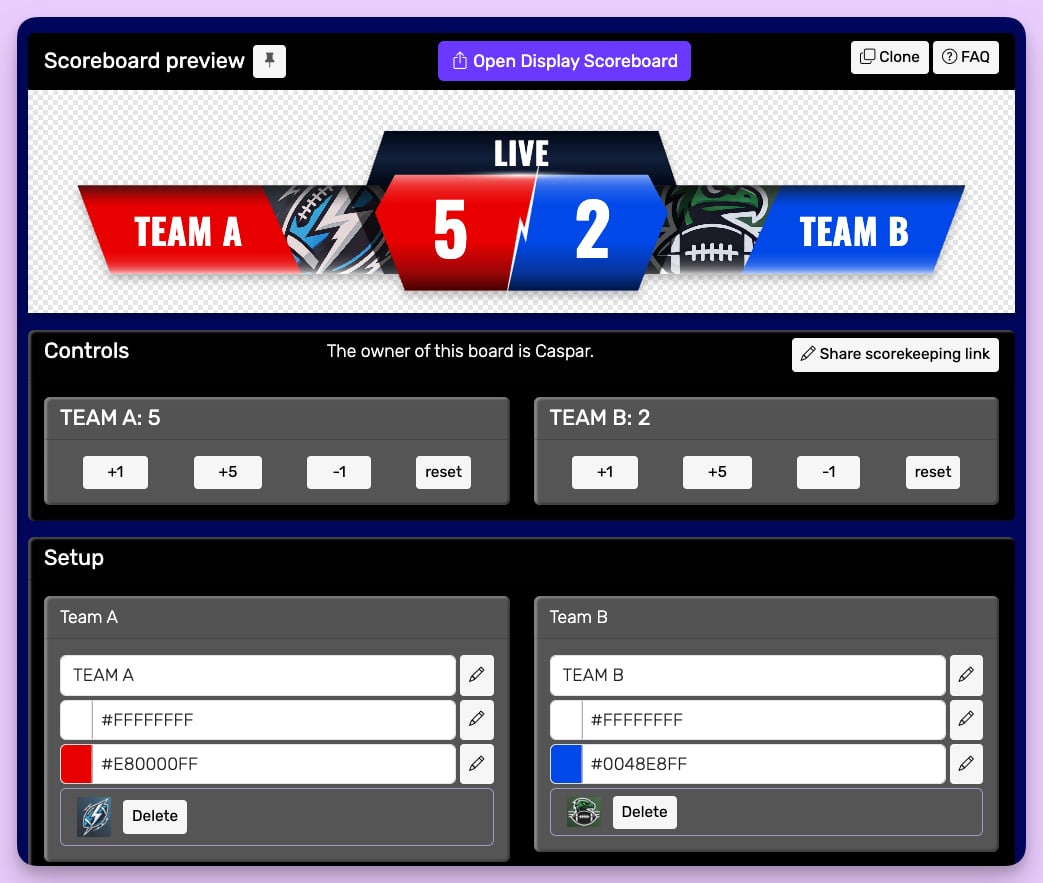
The control panel shows a live preview of what viewers see, score controls you tap to update, and options for team colors, names, and logos.
Add the display URL as a browser source in OBS, Streamlabs, or any streaming software that supports browser sources. Then position the overlay so it doesn't cover the Valorant HUD. Top center between the two team score bars works, but so does a bottom corner if you want it out of the way.
You can share access with a dedicated scorekeeper using the "Share Admin Link" button. They update scores from their device while you focus on the game.
Placement tips for Valorant
Valorant already shows the round score at the top of the screen. That means your overlay is most useful at the bottom, where you can add team names, the map, and a series count without duplicating what's already there.
Use team colors that actually contrast. If both squads happen to run similar palettes, lean on the overlay colors to help viewers track who's ahead.
Update between rounds. Valorant has a natural pause after each round, and that's when score changes register. Updating mid-round is fine, but you'll rarely need to.

Beyond Overlays: Making Valorant Streams Watchable
A scoreboard overlay is the floor, not the ceiling. What keeps Valorant viewers around is context. Call out economy rounds. Explain why a team is saving. Point out when someone's on a hot streak. The overlay gives viewers the numbers. You give them the story.
If you're covering tournaments or scrims regularly, a Stream Deck lets you update scores with a single physical button tap. No looking away from the game, no phone to fumble with. And between maps, a synced countdown timer turns "back soon" into "next map at 5:00" — viewers return for a number, not a promise.
Common Questions
"How do I add a Valorant scoreboard overlay to my stream?"
Add a browser source in OBS or Streamlabs pointing to your scoreboard's display URL. Position it where it won't block gameplay — top center or bottom corners work well. The overlay updates live as you change scores.
"Can I display my Valorant rank on stream?"
Valorant's API doesn't support direct rank integration. You can add a manual text element in OBS with your current rank, or create a custom scoreboard on KeepTheScore that includes rank info.
"Where can I find free Valorant stream overlays?"
Free templates are available on sites like Nerd or Die and OWN3D. For a live-updating scoreboard you control from your phone, KeepTheScore has a free tier.
"What information should a Valorant overlay show?"
At minimum: team names, round score, and map. For competitive streams, add KDA stats and economy info. Keep it minimal — a cluttered overlay distracts from gameplay.
"Can multiple people control the scoreboard during a tournament?"
Yes. KeepTheScore lets you share an admin link so a dedicated scorekeeper can update while you focus on casting or playing. Works from any phone or laptop.

Written by Caspar von Wrede
Founder of KeepTheScore. Building tools that help teams track scores and celebrate wins.